

ReFrame FAQs & Tech Support
Welcome to our FAQ page, which we hope answers many of your questions about the festival experience.
Please note that this page remains published as a reference only, and will be updated for ReFrame 2027 as details are confirmed.
Email our Support Department
Staffed by our small team from 9AM to 9PM EST during the Virtual Program (Feb 3-8, 2026). NOTE THAT VIRTUAL FILMS WILL NOT BE AVAILABLE ON MONDAY, FEBRUARY 2. Please email with details, and we will reply as soon as possible.
Virtual Program Live Chat Support
Access Eventive’s Live Chat Support from 9AM to 9PM EST. They can help solve most technical issues for your virtual ReFrame experience — including the VPN error message some users may experience — and are very quick to respond.
Eventive’s Help Page also contains answers to the most commonly asked technical questions about the virtual streaming platform, and is a great place to check for the answer to your question prior to reaching out.
Frequently Asked Questions
Below, you’ll find detailed answers to our most-often asked questions about the festival experience, including the most common answers to questions about the Virtual Theatre and watching films on your TV.
Accessibility
For detailed information on festival access and accommodations, please visit the Accessibility Page of our website.
Contents
General Festival Questions
How do I get standalone /individual tickets for films?
Where can I pick up my physical pass?
Will there be food downstairs at Showplace this year?
Can I get a physical copy of the Film Guide?
What is the Virtual/Hybrid Festival?
How can I watch the Virtual Program online?
Can I watch ReFrame 2026 virtual films from any location?
Virtual Theatre Questions
Test your device compatibility
How do I watch Virtual Films on my TV?
Are there other TV apps available?
Can I select the films I want to watch within the TV app?
Error message: “This content may not be accessed via proxy server or VPN.”
I am still having technical issues viewing films on my device. What can I do?
Ticketing Questions
Are standalone tickets available?
I have already purchased a Festival Pass. What now?
Does my Virtual Festival Pass guarantee me access to any film I would like to see?
Where can I see all of the Virtual films that I have unlocked?
I unlocked a Virtual film, but I don’t see it in “My Tickets”.
I unlocked the wrong Virtual film. Can I exchange my ticket for a different screening?
How long do I have to watch my unlocked Virtual films?
Account Questions
I am having trouble with my password. What do I do?
General Festival Questions
How do I get standalone / individual tickets?
If you are a ReFrame 2026 Pass Holder, you do not need to reserve tickets for individual in-person film screenings. Your printed pass provides access to all live, in-theatre film screenings during the In-Person Program (January 30–February 1). If you hold a Virtual Pass or Hybrid Pass, you are guaranteed a single viewing of every online film during the Virtual Program (February 3–8).
Pre-purchased printed ReFrame Passes will be available for pick-up ahead of the festival starting January 7 at Watson & Lou (383 Water Street, Nogojiwanong / Peterborough). Store hours for pass pick-ups and sales from January 7–30 are Tues–Fri, 10–5; Sat, 10–4. Printed passes will also be available to claim at our festival headquarters, Showplace (290 George St N), during the In-Person festival dates beginning at 4:00 PM on Friday, January 30 (but not before).
While a seat is guaranteed for Pass Holders, all in-person seating is general admission / first-come, first-served, so we recommend arriving at the venue 15 minutes before your scheduled screening.
Standalone / individual film tickets are also available for non–Pass Holders and can be pre-purchased online. Standalone tickets are $15 / Pay-What-You-Can (PWYC). Visit our Online Film Guide to browse the program, select the film you’d like to attend, and click “Order Tickets” for in-person screenings or “Pre-Order Now” for online screenings. During checkout, use the sliding scale to increase or decrease the suggested price to the amount that feels right for you.
To complete an online purchase, you will need to sign in to or create an Eventive account by entering a valid email address and password. Once your purchase is complete, you’ll receive an email confirmation with your tickets attached as a PDF. Tickets can be presented on your mobile device or printed and shown at the door.
Standalone “Rush” tickets will also be available at Market Hall and Showplace beginning 15 minutes prior to each in-person screening. A small block of tickets is reserved at each venue for rush sales, but arriving early or purchasing online in advance is the best way to secure a spot. Rush ticket sales also provide an opportunity to pay in person and with cash, if you prefer this method to purchasing tickets online.
Where can I pick up my physical In-Person or Hybrid Pass?
Pre-purchased printed ReFrame Passes are available for pick-up ahead of the festival at Watson & Lou (383 Water Street, Nogojiwanong / Peterborough) between January 7 and January 30.
Store hours for pass pick-ups are Tuesday–Friday, 10–5, and Saturday, 10–4.
Printed passes will also be available to claim at our festival headquarters, Showplace (290 George St N), during the In-Person festival dates beginning at 4:00 PM on Friday, January 30 (but not before).
While a seat is guaranteed for Pass Holders, all in-person seating is general admission / first-come, first-served, with the exception of reserved accessible seating and special guest seating. We recommend arriving at the venue early to ensure your preferred seating.
If you still need to purchase your 2026 ReFrame Pass, please do so through our online box office HERE, or visit Watson & Lou during store hours.
Please note: a service charge will apply to passes purchased at Watson & Lou, in support of this wonderful independent art shop.
Will the ReFrame Food Bazaar be downstairs at Showplace this year?
The lower Showplace Cogeco Studio bar will be open for beverages and light snacks, thanks to the wonderful Showplace volunteers, from 11:00 AM to 7:30 PM during the In-Person program (closing at 5:00 PM on Sunday). The Market Hall bar will also be open during festival hours.
The lower Showplace Cogeco Studio will be open to ReFramers as a place to gather, connect, and rest during these times, and will also serve as a quiet space for anyone who needs a sensory break.
We will not be hosting food vendors in this space this year. In fact, we have not been able to host a Food Bazaar since before the 2019 festival, well ahead of the pandemic. We know this is something many people loved, and we miss it too.
The reality is that we haven’t had the capacity to organize and sustain a Food Bazaar for many years now. Coordinating food vendors and trained volunteers requires significant staff time, additional venue cleaning costs, and liability management related to health and safety regulations. As a small non-profit arts organization, we simply don’t have the human or financial resources to take this on. In addition, Showplace no longer permits food vendors to sell on site due to health code restrictions, which means we wouldn’t be able to host a Food Bazaar even if we wanted to.
While this is a loss, it’s also an opportunity to support the incredible independent restaurants that make up the heart of our downtown. Shopping local and breaking bread in community are important ReFrame values, and we encourage you to explore our wonderful neighbours and enjoy their offerings before, between, or after screenings.
DBIA’s The Boro maintains a great list of downtown restaurants, which you can find HERE, as well as a comprehensive directory of local shops HERE. We recommend checking out these options in advance to help plan your festival experience and make the most of your time downtown.
Can I get a physical copy of the Film Guide?
What is the Virtual Program? What is a Hybrid festival?
ReFrame 2026 will be our third Hybrid (virtual & in-person) festival. The In-Person Program takes place in downtown Nogojiwanong / Peterborough from January 30 to February 1, and the Virtual Program runs on the Eventive platform from February 3 to February 8.
If you have accessed the Virtual Program since ReFrame 2021, or rented any ReFrame at Home titles, you’ll already be familiar with the platform. You will use the same Eventive account to access all ReFrame 2026 virtual programming.
The Virtual Program includes just over half of the films in this year’s lineup. We wish we could make every film available online, but there are two key limitations. First, offering films online requires paying separate licensing fees, meaning films need to be paid for twice. Second, many films are not licensed for online exhibition at all. These factors limit how much of the program can be shared virtually.
For this reason, Virtual Passes are priced at half the cost of In-Person Passes.
The Virtual Program is available on demand from February 3 to February 8. This means you can watch films at any time during that window, on your own schedule, rather than at a fixed screening time.
How can I watch the Virtual Program online?
You can access the ReFrame Virtual Program through an internet browser on your smartphone, tablet, or computer.
If you have a Roku, Apple TV, Fire TV, or Chromecast, you can also stream films directly to your television using the Eventive app or casting options available on your device.
To watch a film, visit the Online Film Guide’s Virtual Program Listings, select the film you’d like to see, and click “Pre-Order Now” unlock access. Once unlocked, the film will be available to watch once for each viewer during the Virtual Program dates.
If you don’t have a compatible streaming device, you can still watch on a larger screen by connecting your laptop to your TV using an HDMI cable. Check out the Connectivity Options below for more details.
Can I watch the ReFrame 2026 Virtual Program from any location?
The ReFrame Virtual Program is geo-blocked to Canada and can only be streamed within national boundaries to protect filmmakers’ rights and due to film licensing agreements.
There is one exception in the 2026 Virtual Program. Due to specific licensing restrictions, Chase Joynt and Julietta Singh’s The Nest is only available to stream within Ontario.
The Nest will also screen in person at Market Hall at 4:45 PM on Friday, January 30.
Virtual Theatre Questions
Step 1: Make sure you are logged in to Eventive
Eventive is our third-party festival platform for ticketing and virtual screening.
You must be logged in using the same email address you used to purchase your ReFrame pass or tickets. Please double-check that you are using the correct email and that it is typed accurately.
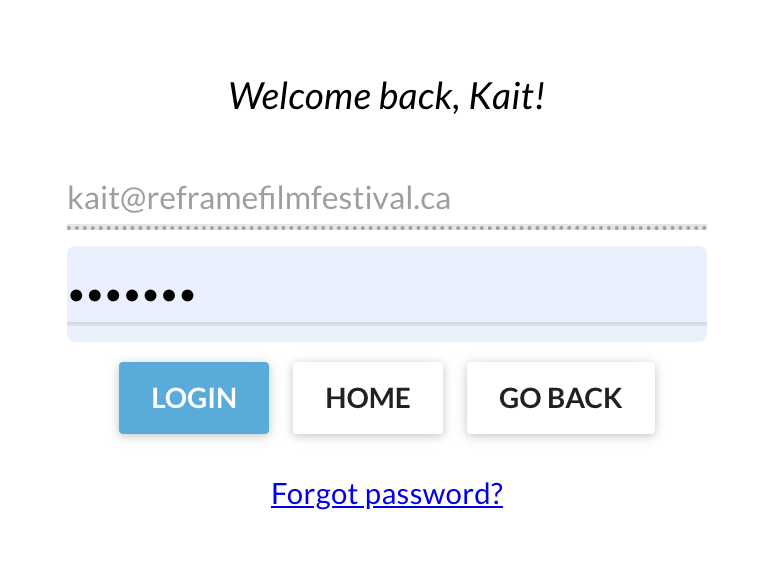
If you’ve forgotten your password, you can reset it directly from the Eventive login pop-up by clicking “Forgot password?” You can also contact us at , and we’re happy to help reset your password during Virtual Program support hours (9AM–9PM, February 3–8).
There are several places on our website where you can log in to your Eventive account. From the drop-down “Festival” menu on our homepage, select “Eventive Account” to sign in.
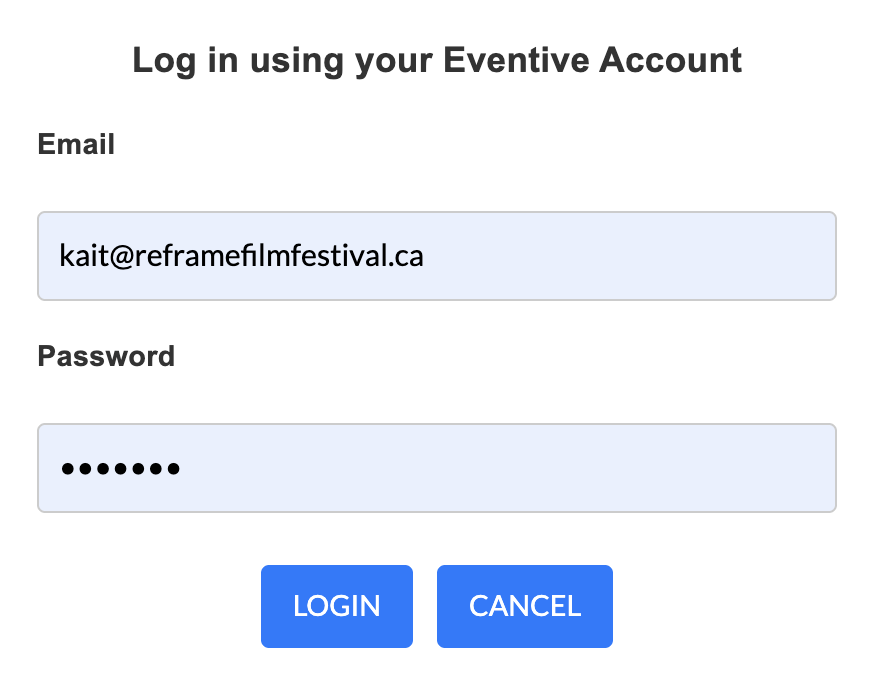
We’ve also added login prompts throughout the Online Film Guide. If you click on a film during the virtual festival dates and are not signed in, you will automatically be prompted to log in.
Your festival passes and tickets are linked to your Eventive account. Being logged in is essential in order to access and watch your virtual films.
Test your device compatibility
Visit the Eventive Screen Test page, and follow the steps to unlock the free test video. From there, you can:
- Test your device(s) for compatibility with our platform
- Confirm that you are able to make a purchase
- Confirm that you are receiving confirmation emails once a purchase has been completed
If you are unsure whether your devices are compatible, please refer to the rest of this FAQ for devices that are compatible with Eventive.
How do I watch on my TV?
Once you’ve created / accessed your account on Eventive, and purchased your Virtual or Hybrid Pass / individual virtual film ticket, it’s time to connect your TV.
There are four options to do this, depending on your device:
Choose your Smart TV or Device
ROKU
If you have a Roku Smart TV or device:
Search for “Eventive TV” in the Roku Channel Store on your Roku. You can also add the Eventive TV app to your Roku via the Roku website by clicking here.
Once installed, you will see a 6-character code you will enter into your account settings at watch.eventive.org/tv.
Once you have entered the code, your Roku will show all of the content you have unlocked for viewing via another device such as a laptop or mobile device.
All of your unlocked content will be available on the app. If a program has not already been unlocked, you’ll have to unlock it on another device such as a laptop or mobile device first.
More detailed information on accessing the Virtual Program from Roku can be found under “How do I access the Eventive TV channel on Roku?” on the Eventive Help Page.
Please note:
Purchases and unlocking must be done on a phone, tablet, or computer.
You must own the Roku Streaming Stick, or a Roku Smart TV to use this app. This is not an app for your smartphone, tablet or computer.
Livestreams are currently not available via the TV app. You can cast them from another device to your TV.
APPLE TV
If you have Apple TV:
Please download the “Eventive TV” app from the Apple TV App Store (accessible via your TV, this is not an app for your smartphone, tablet or computer). You must have at least a generation 4 Apple TV to access the App Store.
- When you open the app for the first time, you will see an activation code. You’ll then be prompted to connect your account.
- On another device, please navigate to watch.eventive.org/tv, then login if necessary, and use the code from your TV to connect your account.
- Now, select from the available channels on the Eventive Apple TV app to begin watching
- Visit the festival tab on a separate device to unlock the films you would like to watch. All of your unlocked content will now be available for streaming on the Apple TV app.
More detailed information on accessing the Virtual Program via Apple TV can be found under “How do I use the Eventive TV app on my Apple TV device?” on the Eventive Help Page.
How do I use the Eventive TV app on my Apple TV device?
Please note:
Purchases and unlocking must be done on a phone, tablet, or computer; you won’t be able to do this on your TV.
If you ever need to re-activate the TV app, you can select TV app setup by hovering over the login ID circle in the upper right of the device screen.
Livestreams are currently not available via the TV app. You can AirPlay them from another device to your TV.
AMAZON FIRESTICK or FIRE TV
Open your Firestick or Fire TV app and navigate to the magnifying glass icon to search. Enter EVENTIVE TV in the search field and select EVENTIVE TV when it appears, next press the down button on your remote to navigate to “Apps and Games” where you will find the EVENTIVE TV app. You can also add the Eventive TV app to your Amazon Fire TV via the Amazon website by clicking here.
Select the app and install on your device. Once installed you will then see a 6 character code you will enter into your account settings at watch.eventive.org/tv
Once you have entered the code your Fire TV will show all of the content you have unlocked for viewing via another device such as a laptop or mobile device.
More detailed information on accessing the Virtual Program from Fire TV can be found under “How do I access the Eventive TV app on Fire TV or Firestick?” on the Eventive Help Page.
Please note:
If a program has not already been unlocked, you will have to unlock it on another device first, such as your computer or smartphone.
If you ever need to re-activate the TV app, you can select TV app setup by hovering over the login ID circle in the upper right of the device screen.
Livestreams are currently not available via the TV app. You can AirPlay them from another device to your TV.
CHROMECAST or AIRPLAY
If you have an Apple TV, Chromecast (3rd gen or later), or a smart TV enabled with AirPlay or Chromecast, set your computer, mobile device or browser to “AirPlay” or “cast” to the TV device.
Unlock the film program through the Online Film Guide.
Set the player window on your computer, mobile device or browser to full screen using the icon on the lower right.
- Set your computer, mobile device or browser to “AirPlay” or “cast” to the TV device (this varies based on your device).
Please note:
Only 3rd generation Chromecast devices are supported on the Eventive platform.
Chromecast will work on select Android devices; see instructions above.
iOS devices (Apple) must use the AirPlay function.
Chromecast on iOS devices are not compatible with the Eventive platform.
Due to content protection restrictions, the Screen Mirroring feature on smart TVs and other devices cannot be used. Many browsers built into smart TVs and other devices will NOT allow protected content to play.
HDMI CABLE CONNECTION
You can also directly connect a laptop or computer using an HDMI cable by doing the following:
- Make sure your computer is close enough to your Television for the HDMI cable to reach between them safely.
- Connect one end of the HDMI cable into an available HDMI port on the TV. Take note of the HDMI input number it is being connected to.
- Plug the other end of the cable into your laptop’s HDMI out port
- Set the TV to the HDMI Input port that the computer is connected to using the source or display button on your TV remote.
Please note:
If your computer’s display does not automatically appear on your TV screen, you may need to have the computer manually detect the display.
On Windows: right-click on the desktop > Display Settings > Click Detect > Click the “Multiple displays” drop-down box, and select “Duplicate these displays” > Click “Apply.”
On Mac: Go to the Apple Menu > choose System Preferences > Choose the “Displays” panel > Hold down the “Option” key to show the “Detect Displays” button (note that it replaces the “Gather Windows” button) > Click on “Detect Displays” while holding Option to use the function as intended.
Are there other TV apps available?
No. TV apps are currently only available for Roku, FireTVand AppleTV. Make sure you download the correct app for the hardware that you own. For example, the Roku TV App will only work on Roku devices, while the AppleTV App will only work with AppleTV devices.
Can I select the films I want to watch within the TV app?
No. In order to access ReFrame content on your TV, you will need to unlock each film through our Eventive-linked website (click “unlock” on the screen page of the film you’d like to watch) on a separate device first (i.e. your smartphone, tablet or computer). Once you have unlocked a film online, it will appear in your TV app.
Error message: “This content may not be accessed via proxy server or VPN.”
Unfortunately this message can sometimes appear in the Virtual Theatre when trying to unlock or view films, even if you’re not using a VPN. It means that your Internet Service Provider is routing your data through a US-based data centre, and our streaming service provider Eventive thinks that you’re in the US instead of Canada, which triggers the geographical blocking feature unintentionally.
If you are using a VPN, please disconnect and try accessing the films again.
If you have confirmed that you are not using a VPN for work or personal use, and are in viewing from within Canada, then you’ll need to reach out to Eventive directly via their online chat support and have them manually allow your account and IP address to get past the geoblocking filters. Please note that if your IP address changes (which is possible when you disconnect or reconnect to the internet), you may have to contact Eventive again with your new IP address. The direct link to Eventive Live Chat Support is https://watch.eventive.org/help?chat=1 (they’re very fast!).
You are also welcome to contact our staff during virtual tech support hours (9AM–9PM Feb 3–8) at ), and we can re-set your pass.
I am still having technical issues viewing films on my device. What can I do?
Please visit the Eventive Virtual Help Page for detailed setup instructions, FAQs and Technical Support.
If you can’t find the answer to your question there, contact Eventive Support directly by clicking the “Launch live chat support” button at the bottom of the Help Page.
Ticketing Questions
Are individual tickets available?
Yes. Standalone / individual film tickets are also available for pre-purchase online for non-Pass Holders; standalone tickets are $15/PWYC. Visit our Online Film Guide to peruse the program, select the film you’d like to attend, and click “click “Order Tickets” for in-person screenings or “Pre-Order Now” for online screenings. During checkout, use the sliding scale to increase or decrease the suggested price to the amount that feels right for you. Once your purchase is complete, you’ll receive an email order confirmation with your tickets. You can access your tickets on your mobile device (from the attached PDF), or just print out the attached PDF and present it at the door for in-person screenings.
Standalone “Rush” line tickets will also be available at Market Hall and Showplace 15 minutes prior to each In-Person screening for $15 or PWYC. We will reserve a small block of tickets at each venue for “Rush” ticket sales at each screening, but arriving early is the best way to secure your spot. Rush purchases are also an opportunity to pay in person and with cash if you prefer this method to an online purchase.
I have already purchased a Festival Pass. What now?
We have reserved enough tickets through our festival platform so that PASSHOLDERS DO NOT NEED TO PRE-BOOK INDIVIDUAL TICKETS TO IN-PERSON OR VIRTUAL FILMS. In-person seating is first-come, first served, so we do advise arriving to the venue early to choose your favourite spot in the theatre!
Your physical In-Person or Hybrid Pass IS your ticket to all screenings in the In-Person Program. You can pick up your In-Person or Hybrid Pass in advance of the festival between January 7 and 30 at Watson & Lou (383 Water St, Nogo / Ptbo; Tue-Fri 10-5, Sat 10-4). You can also pick up your printed pass at Showplace (290 George St N) during the festival dates, beginning at 4PM on January 30.
Does my Virtual/Hybrid Festival Pass guarantee access to any virtual film I would like to see?
Your Virtual or Hybrid Pass guarantees one view of any film in the 2026 Virtual Program.
Where can I see all of the virtual films that I have unlocked?
Log into your Eventive account. Click the Menu button at the top-left of the page, and select My Tickets.
I unlocked a film, but I don’t see it in “My Tickets“.
It may take a few minutes for an unlocked film to appear in your account. You will also receive a notification to the email address on file once your unlocked film is available for streaming.
I unlocked the wrong film. Can I exchange my ticket for a different screening?
Yes. To transfer or exchange tickets, please contact ReFrame’s tech support team: .
Please note:
Ticket transfers are subject to availability.
How long do I have to watch my virtual unlocked films?
Once you pre-register your “seat” at a virtual screening, you will have an “Unlock Window” to begin watching the film before your ticket expires, and a “Watch Window” of 48 hours to finish watching the film once you’ve clicked “Watch Now”.
Please note:
Unlock Windows for tickets ordered before the festival dates will not begin until February 2, 2026.
I am having trouble with my password. What do I do?
You can reset your Eventive password within the login page. Click “Forgot Password” to reset. Enter your account email address and you will receive an email with instructions to retrieve access to your account.
If you’re not finding the answer to your question above, please send us a quick note to and we’ll respond to you directly as soon as we are able.